


Do you want to change your look? Do you want a wig that suits your face shape? But are you worried that the wig you buy might not be suitable, and that returns and exchanges will waste your time? Don't worry, Nadula has launched an AI virtual wig try-on feature on Nadula app, allowing you to try on wigs online for free before purchasing.
You can try on numerous wig styles and colors. With just a few taps on the app, you can accurately see how different styles, lengths, colors, and textures of wigs look on your face. This allows you to choose the most suitable wig, saving you a lot of time and providing a satisfying shopping experience.
In this article, we will explore Nadula's AI try-on feature, how to use it, how it works, and the advantages of using the AI try-on function. You can find everything you need to know in this article.
What Is Nadula Virtual Wig AI Try-On?

Nadula's AI Virtual Try-On is an advanced artificial intelligence feature integrated into the Nadula App. By analyzing facial features, head shape, skin tone, and lighting conditions, the AI system can accurately overlay different wig styles onto the user's real-time photos or live camera feed. This allows users to virtually try on wigs in seconds, just like standing in front of a mirror, making the experience incredibly smart.
Unlike traditional online shopping, which requires users to imagine how a wig would look on them and potentially purchase a wig that doesn't suit them, Nadula's AI Virtual Try-On provides users with ultra-realistic previews, helping them make confident and informed purchasing decisions.
Why Did Nadula Launch AI Virtual Wig Try-on?
Because traditional online wig shopping can present many challenges, such as choosing the right length, finding a color that matches your skin tone, and selecting a style that suits your face shape. If the wig isn't suitable, you also face the hassle of returns.
To address these issues, Nadula has developed advanced AI visual technology to create an immersive virtual wig try-on experience. Our goal is simple: To help customers easily, accurately, and confidently find the perfect wig.
With AI try-on technology, Nadula eliminates uncertainty for customers, bringing the in-store try-on experience directly to your mobile phone. This provides customers with an incredibly convenient shopping experience.
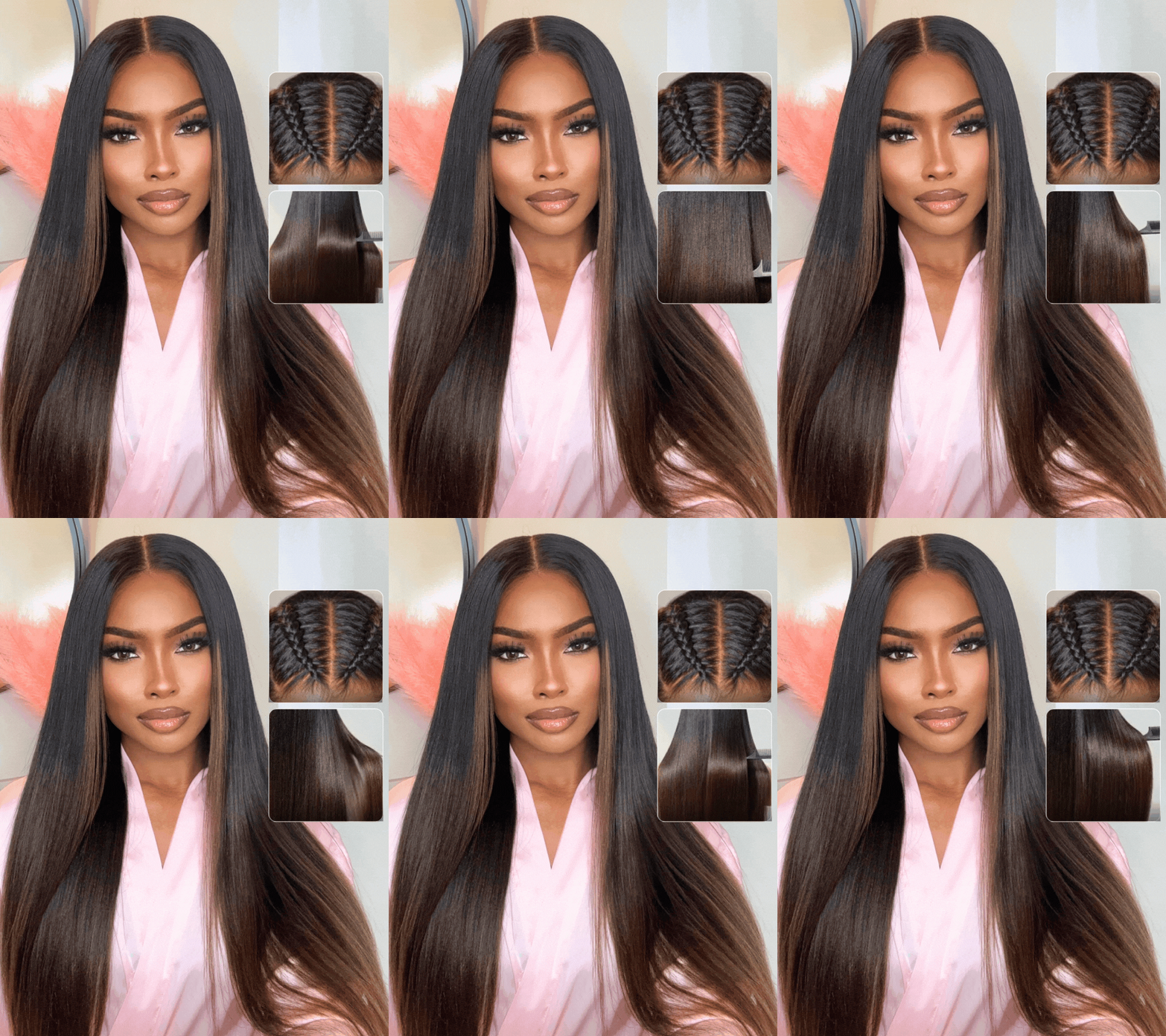
The Key Benefits of Nadula AI Wig Try-On
-
Free Online Wig Try-On Anytime, Anywhere
No appointment needed. No need to visit a physical store. With Nadula's AI try-on feature, you can try all types of Nadula wigs for free anytime, anywhere. Whether you're relaxing at home or commuting, you can instantly try a new hairstyle in seconds.
-
Ultra-Realistic Visual Effects
Powered by advanced facial recognition and real-time rendering technology, Nadula's AI technology accurately fits wigs, simulates natural hairlines, realistic texture and volume, and precise color matching. The preview you see during the try-on process is extremely close to how the wig will look in real life.
-
Personalized Wig Recommendations
The AI system analyzes your face shape, skin tone, facial proportions, and personal style to provide intelligent recommendations, helping you quickly find the perfect wig for you.
-
Reduced Returns
One of the biggest advantages of AI try-on is increased customer satisfaction. When customers can clearly see how the wig looks before purchasing, the likelihood of returns is significantly reduced.
-
Wide Range of Product Choices
You can go from long straight hair to short curly hair, or try bold colors like honey blonde wig, ginger wig, or burgundy wig. With Nadula's AI try-on feature, you can try various stunning transformations risk-free, without worrying about choosing the wrong wig or the hassle of returns.
-
APP Exclusive Discounts
If you find a wig you particularly like during the try-on process, you can order it directly through the Nadula app and enjoy a $5 discount, plus a chance to get a free wig. For more benefits and extra discounts offered by the Nadula app, please refer to this article for more information.
How to Use Nadula AI Wig Try-On?
Step 1: Download the Nadula App

Nadula app is available on Android and iOS devices. You can download it on Google Play and the App Store. You can search for Nadula or Nadula wig in the app store and click download to get the Nadula App.
Step 2: Open the AI Virtual Try-On Feature
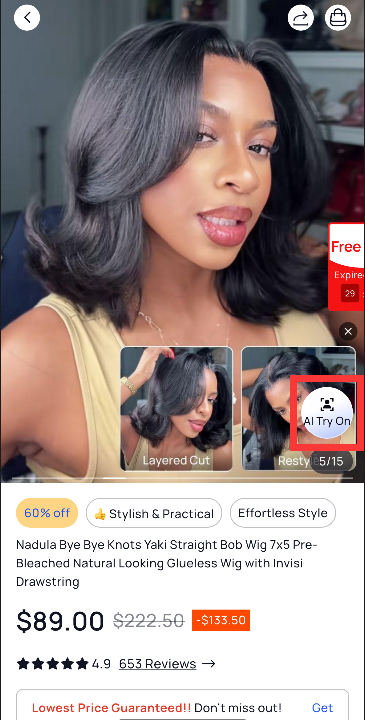
Click on a product you like, then click "AI Try-On" on the product page to enter the feature interface, and click the try-on button.
Step 3: Upload or Take a Photo
You can upload a selfie. For best results, it's recommended to use a clear selfie to better understand how different wig styles suit your face shape. Alternatively, you can use your phone's camera to take a real-time photo. It's best to use natural light, face the camera directly, and comb your hair back, avoiding excessive filters.
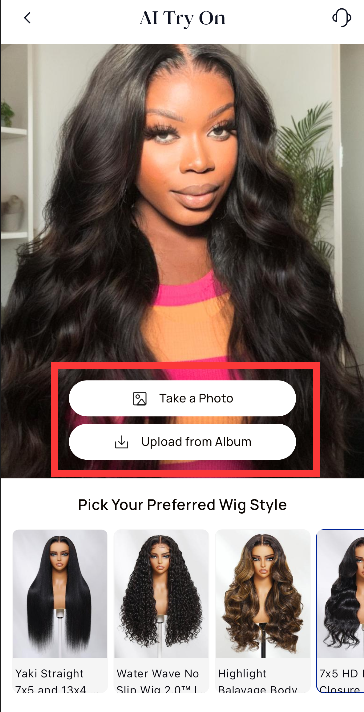
Step 4: Decide if the Wig Suits You
After trying it on, you can decide if the hairstyle or color suits you. If it does, don't hesitate to buy the wig, without worrying about how it will look after wearing it. If it doesn't suit you, you can choose other wig styles and colors until you find the perfect one.
Step 5: Save and Share
After trying it on, you can save your favorite looks to compare different styles, or share your try-on results with friends. If you like it, you can purchase it directly within the Nadula App.
Best Wig Types to Try with Nadula AI Try-on
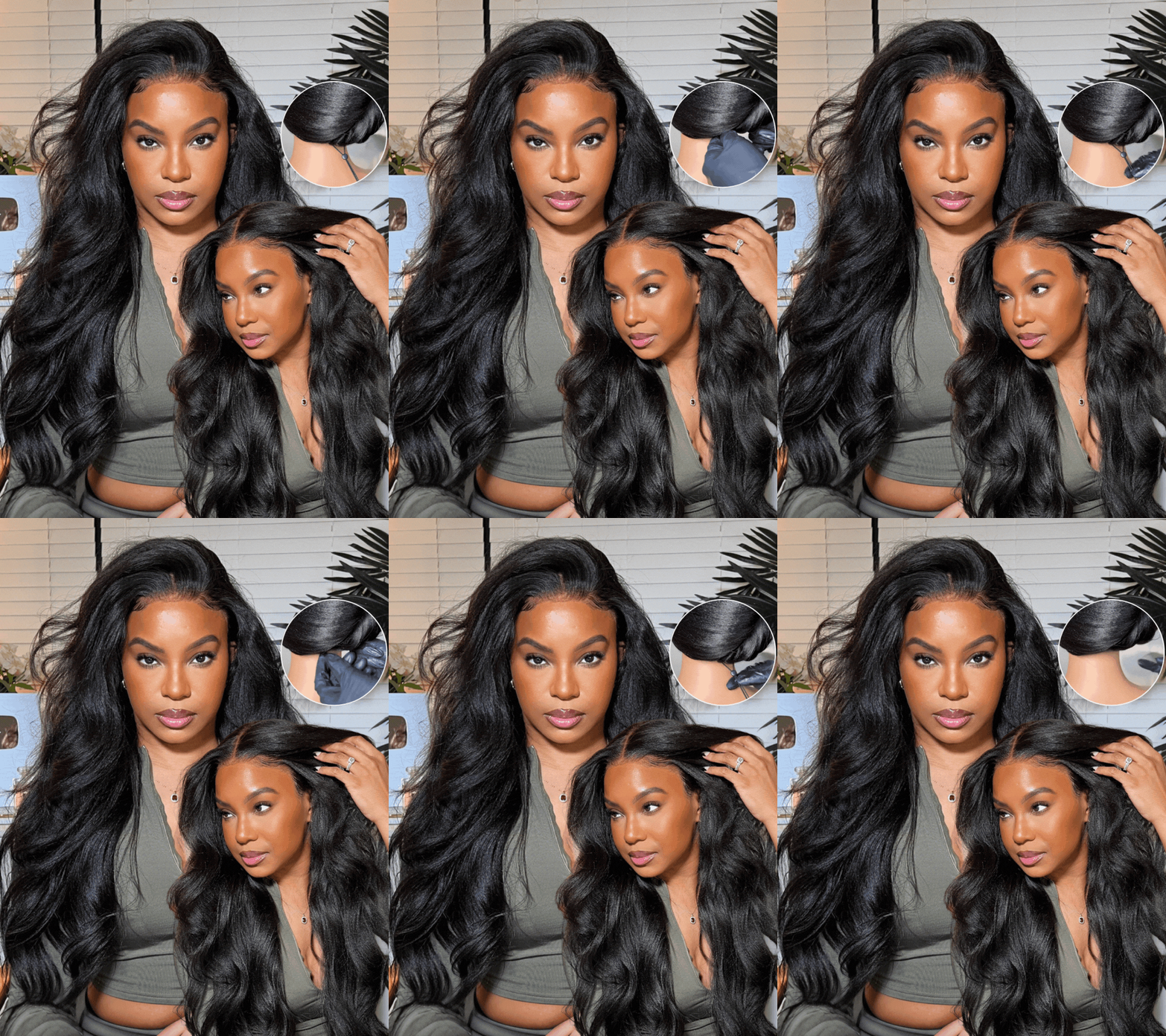
Glueless Wig: A beginner-friendly glueless wig designed to stay secure without glue or gel. Simply put it on, adjust the straps, and enjoy a natural look.
Pre-Everything Wig: A pre-everything wig featuring pre-plucked hairline, pre-bleached knots, pre-cut lace, and pre-styled texture. Just wear it straight out of the box.
HD Lace Wig: Made with ultra-thin, high-definition lace that melts seamlessly into any skin tone. HD lace wig Offers an invisible hairline and the most natural scalp appearance.
Put On and Go Wig: This wear go wig designed for maximum convenience. No glue, no lace cutting, no styling—just put it on and go in seconds.
V Part Wig: A V-shaped opening allows you to blend your natural hair for leave-out styles. Delivers a natural parting look without lace or glue.
Yaki Straight Wig: Yaki straight hair is simply a texture of hair weave. Its design mimics the texture of straightened Afro-Caribbean or African-American hair. Soft, full, and realistic.
Color Wigs: Preview shades like blonde, brown, ginger, burgundy, highlight and ombre.
Short Bob Wigs: Short bob styles depend heavily on face shape—AI makes selection easier.
Curly & Wavy Wigs: Evaluate curl pattern, volume, and overall balance.
You can tap any product to preview it on your face instantly.
FAQs About Nadula Virtual Wig AI Try-On
Is Nadula AI Try-on Free?
Yes. The Nadula AI wig try-on feature is 100% free to use. Customers can try unlimited wig styles without any cost, making it easier to find the perfect wig with zero risk.
How Accurate is Nadula's AI Wig Try-on?
Nadula's AI Try-on technology delivers highly realistic simulation results by accurately detecting facial contours, head shape, skin tone, and lighting. The preview closely matches real-life wear, helping customers make confident purchase decisions.
Do I Need to Download the Nadula App to Use AI Try-on?
Yes. The AI Try-On feature is exclusively available inside the Nadula App, which can be downloaded from the Apple App Store and Google Play Store. Nadula Wig App also offers exclusive deals, early access to new arrivals, and personalized recommendations.
Can the AI Recommend Wigs Based on My Face Shape?
Yes. Nadula's AI system analyzes your face shape, skin tone, and facial proportions to offer personalized wig recommendations, helping you quickly discover the most flattering styles.
Does Using AI Try-on Reduce the Risk of Wrong Purchases?
Definitely. By seeing realistic previews before purchasing, customers significantly reduce the chances of choosing the wrong style, length, or color, leading to higher satisfaction and fewer returns.
Can I Save and Compare Different Wig Looks?
Yes. The Nadula App allows users to save favorite styles, compare multiple looks, and share them with friends, making wig selection more interactive and fun.
Is My Photo Safe When Using Nadula AI Try-on?
Yes. Nadula strictly protects user privacy. Uploaded photos are only used for AI try-on processing and are not stored or shared without user permission.
Can I Directly Purchase Wigs After AI Try-on?
Yes. Once you find your favorite look, you can add the wig to your cart and complete checkout instantly within the Nadula App, ensuring a smooth and convenient shopping experience.
Conclusion: Ready To Find Your Perfect Wig?
Nadula's AI try-on feature lets you easily and confidently choose the perfect wig for yourself. If you've ever hesitated when buying wigs online, now you can use the AI try-on feature to find your perfect look. Download the Nadula app today and experience the AI-powered virtual wig try-on feature for free. Try unlimited styles and explore bold colors and styles for smarter shopping.